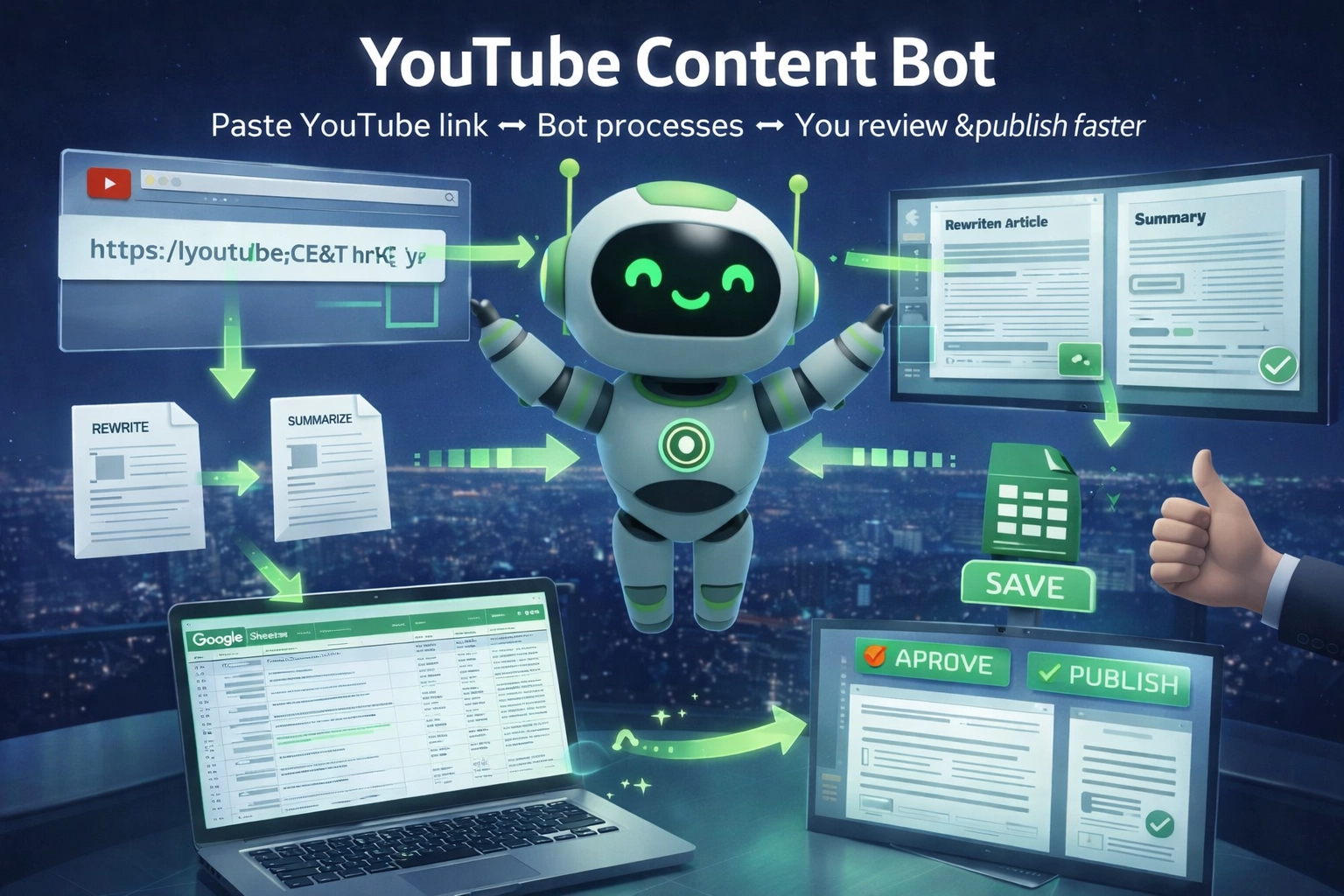
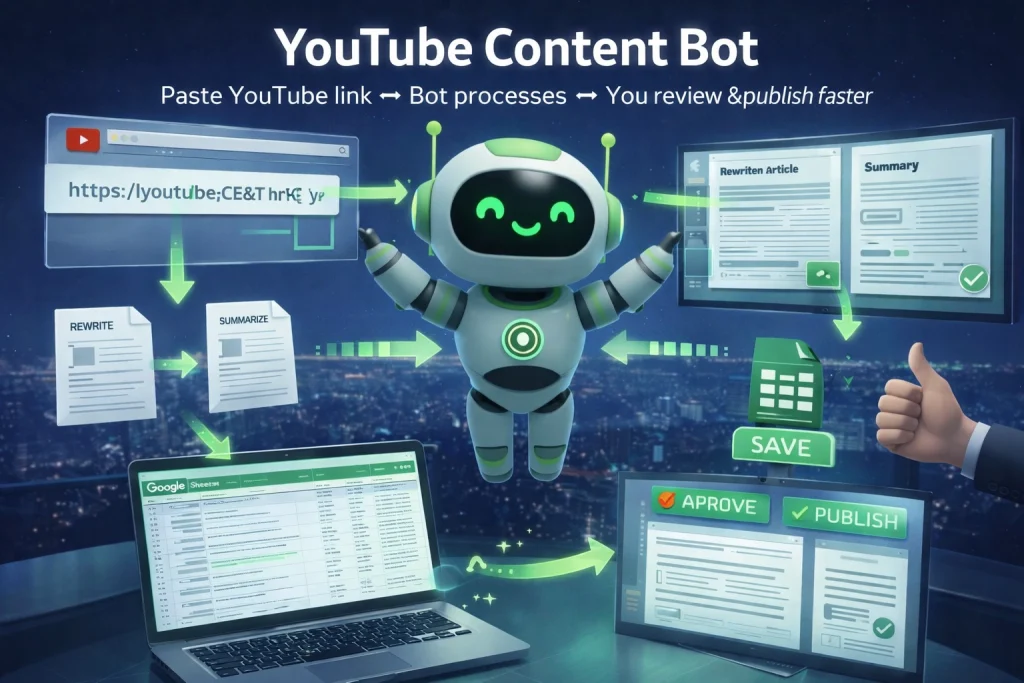
YouTube Content Bot helps you turn a single YouTube link into a rewritten article and an automatic summary — neatly saved in Google Sheets for easy review and management. Just paste the link → the bot processes it → you review and publish faster.

Assistant Bot – THE SMART EMAIL & MEETING ASSISTANT, ALL IN ONE PLACE
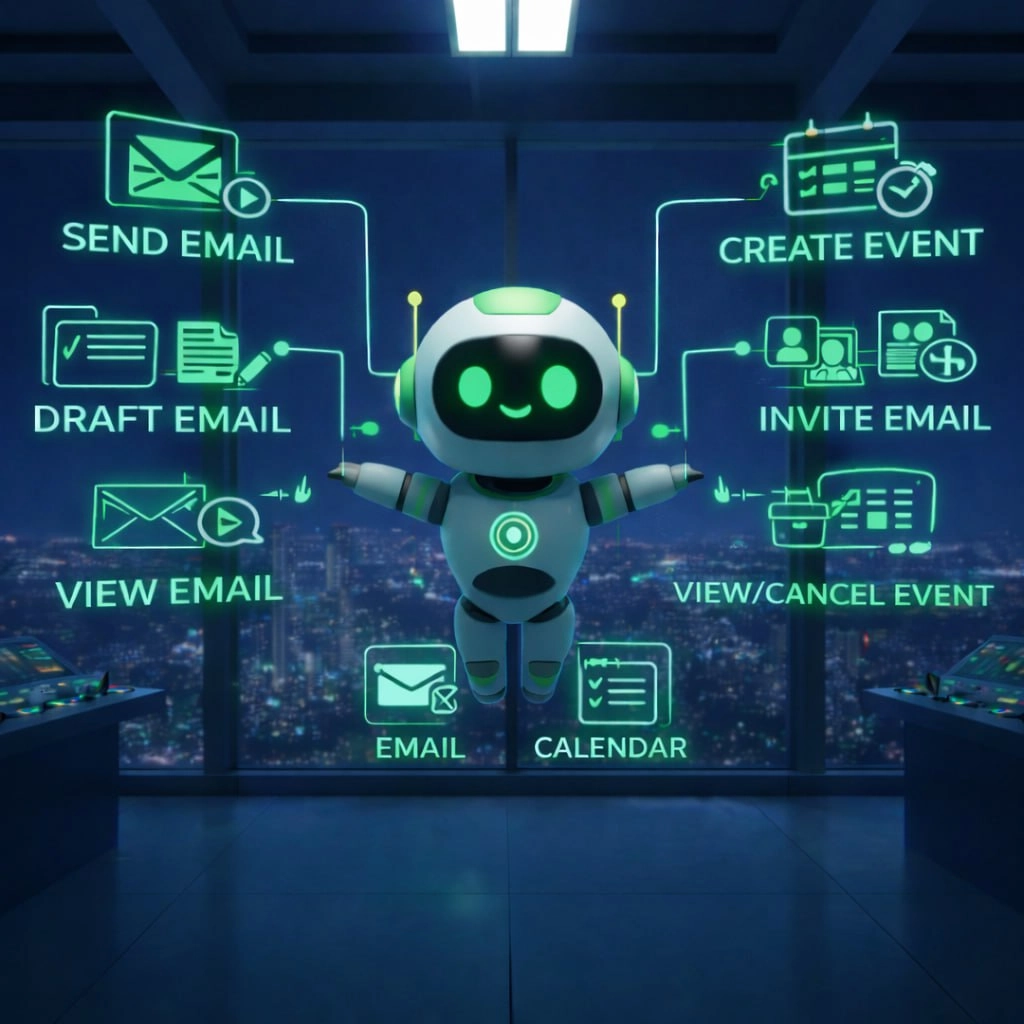
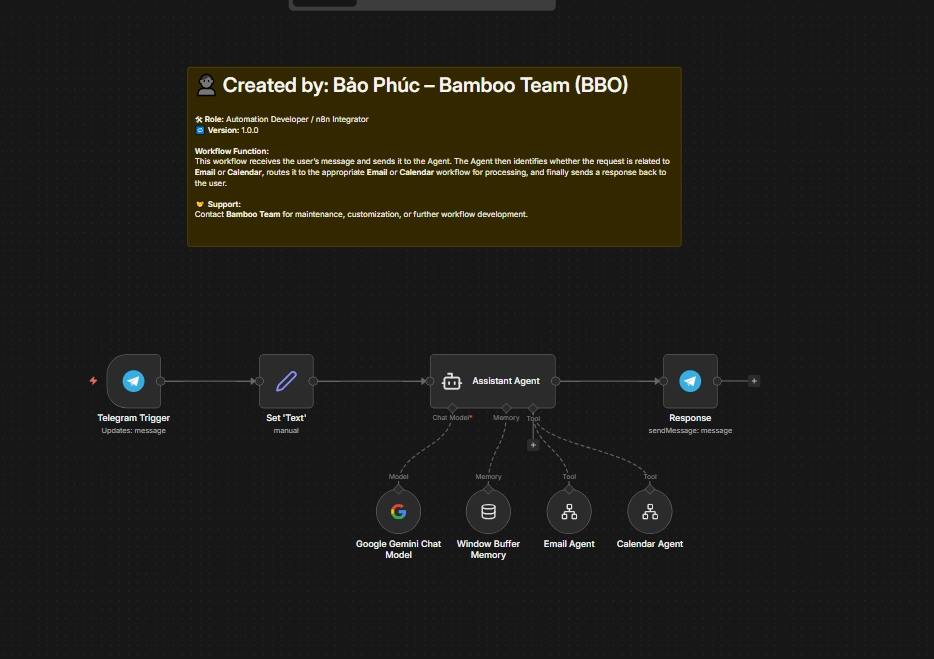
Assistant Bot is a breakthrough tool for automating everyday office tasks. By integrating Email and Google Calendar into a single chat-based workflow, it helps you handle time-consuming work like bulk emailing, drafting messages, scheduling meetings, and managing your calendar—without opening multiple tabs or doing repetitive manual steps.
Say goodbye to copy-pasting emails, checking schedules by hand, and worrying about missing appointments. Assistant Bot turns your messages into actions: send one request → Assistant Bot does the rest, then clearly confirms the result as soon as it’s completed.
1. CORE FEATURES
Assistant Bot is built to be fast – accurate – easy to use for both Email and Calendar tasks.
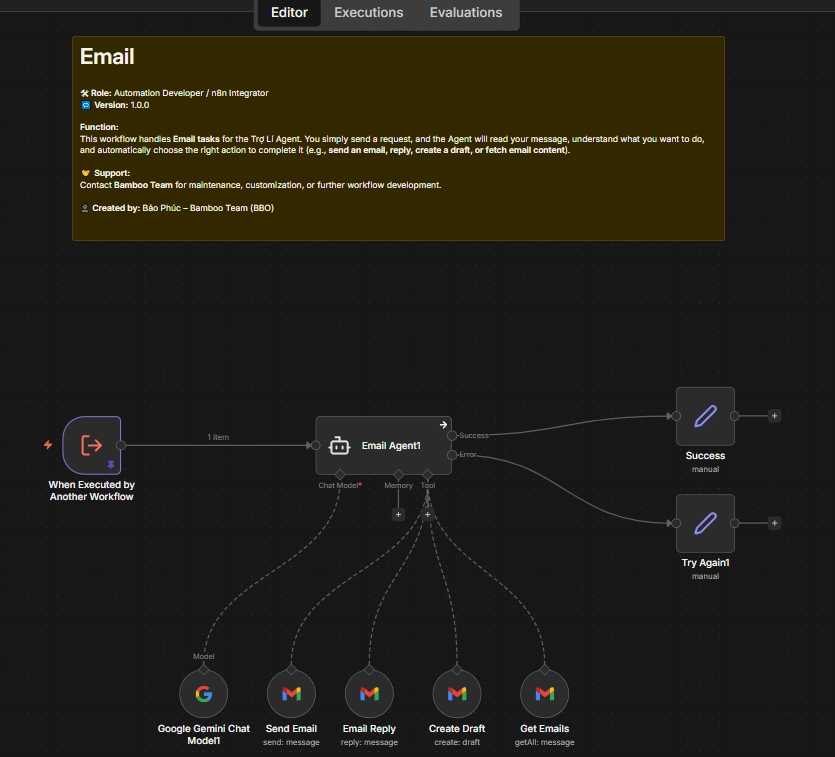
- Send emails to multiple people at once: One message can be delivered to many recipients in seconds.
- Retrieve emails sent to you: Quickly view important incoming emails without searching manually.
- Create email drafts: Generate drafts in the tone you need (formal, short, announcement, follow-up, etc.).
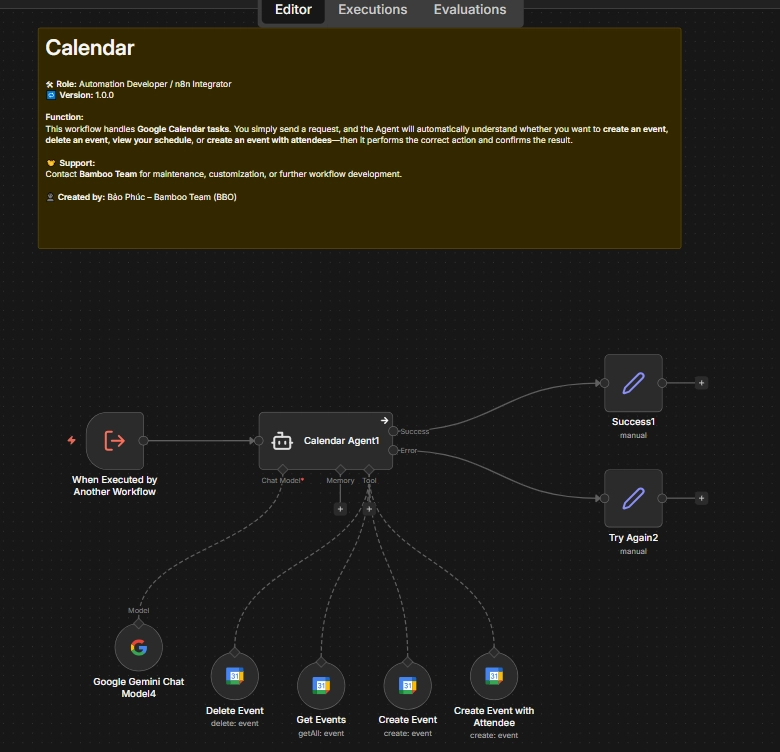
- Schedule in Google Calendar: Create events and reminders with a simple chat request.
- Create meetings & send email invitations: Set up meetings with multiple attendees and automatically notify them.
- View your schedule by date: Ask for any day and get a clear schedule overview.
- Cancel/delete events when urgent changes happen: Instantly update your calendar to avoid conflicts or missed tasks.
2. KEY BENEFITS
- Save time every day: Reduce manual work for emails and scheduling.
- One place for everything: Manage Email + Calendar directly in chat—no app switching.
- Clear confirmations, fewer mistakes: Every completed task comes with a confirmation message.
- Better teamwork: Faster meeting invites and email updates for teams and projects.
- Beginner-friendly: Just type naturally—Assistant Bot understands and handles it.
3. WHO IS IT FOR?
- Office staff, admins, project assistants
- Leaders/managers who schedule meetings often
- Sales/HR/Customer Support teams who send many emails
- Startups, agencies, and project-based teams
- Anyone who wants faster Email & Calendar management
Message. Send. Schedule. Done.
Source code
Source code includes:
- Calendar creation workflow (JSON file)
- Email sending workflow (JSON file)
- Agent workflow (JSON file)
Notice: You have not purchased this product yet. Please add it to your cart and complete the payment to download the document. After a successful payment, you will be granted access to download the document.
Do I need to open Gmail or Google Calendar directly?
No. The system will automatically send emails or create calendar events for you.
Do I need to know any technical skills or complex commands?
No. You just need to send messages as if you were having a normal conversation. The Agent will understand and carry out the task.
Can I review sent or received emails?
Yes. You can view them directly in Gmail.
Can I edit an email before it is sent?
Currently, this version only sends the information you provide to the Agent for processing and sending emails. Editing emails before sending is not supported yet.
Can I view my schedule by day?
Yes. For example, you can message: “What meetings do I have today?” The Agent will automatically extract information from your Google Calendar and send it to you.
When a schedule is changed, does the Agent notify everyone involved?
Yes. This version of the Agent supports notifying participants by assigning the emails of related people included in your message.
For more details, you can refer to the instructional video.
What if my message is unclear?
In this version, the Agent will try to understand your question or request based on your message. To ensure quality, we recommend making your requests as specific as possible.
Example: “Please create a meeting with the subject: ‘Year-End Meeting’, description: ‘Summary of year-end work and party organization’, on 31/12/2025, with email_member0, ….”
Assistant Bot
Code:
bbo_ass_bot
Product information
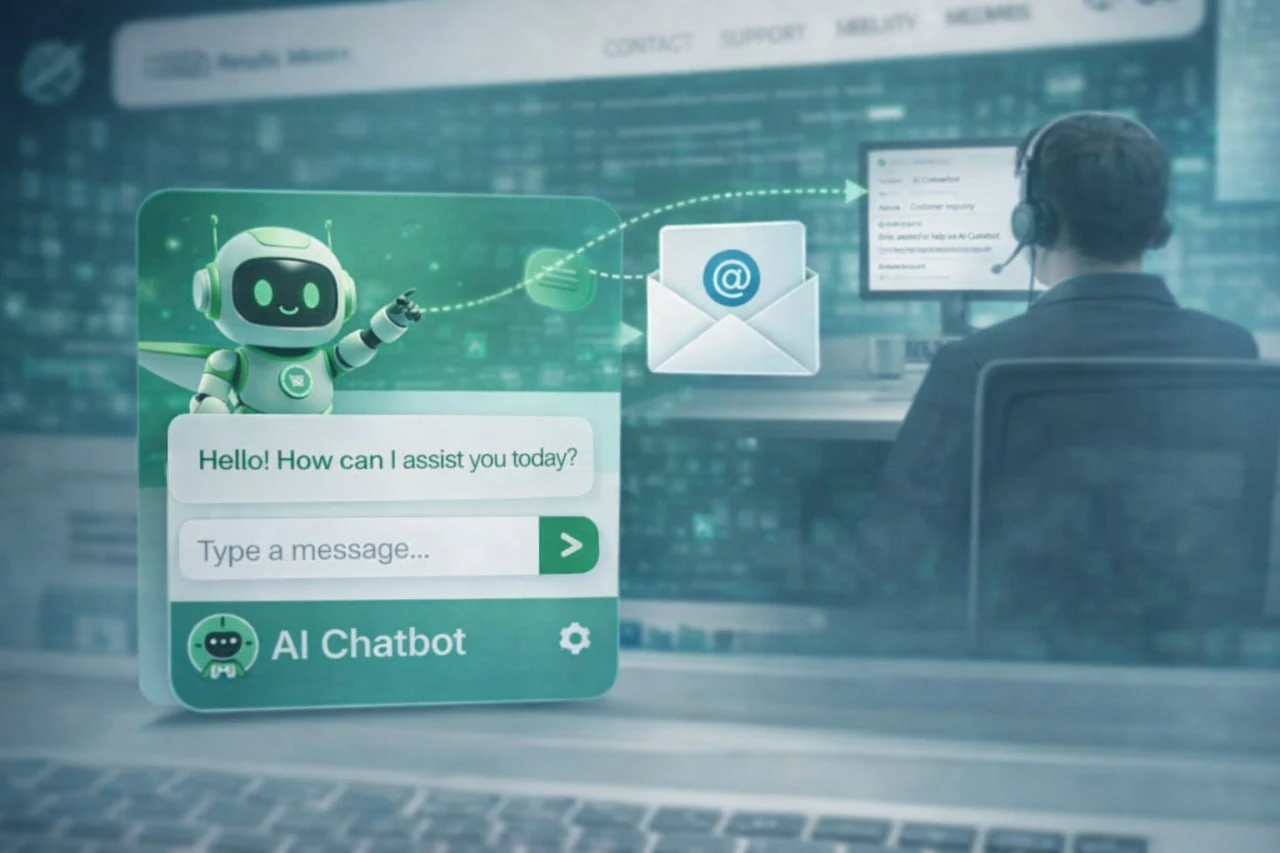
The Agent Assistant is a smart assistant that helps you manage Email and Google Calendar right inside the chat. With just one message, the agent can send bulk emails, create drafts, read emails, schedule meetings, invite participants, view/cancel events, and report results as soon as it’s done—helping you save time and stay more organized every day.
Price:
68USDCurrent price is: 68USD
Version details
Version: 1.0.0
Platform: n8n (Open-source workflow automation)
Last updated: November 20, 2025
Status: Tested on n8n Cloud and Self-hosted
Author: BBO Dev Team
Requirements:
– n8n account (Cloud or Self-hosted)
– Connections to Telegram, Google Calendar, and Gmail
Support: support@bbotech.vn