


Shopping & Payment Guide
Note: This guide applies only to products with a clearly listed price.
1. Ordering Process
To own licensed Tools, Bots, and n8n Workflows, please follow these 3 simple steps:
- Step 1: Select your desired product and click the “Add to cart” button.
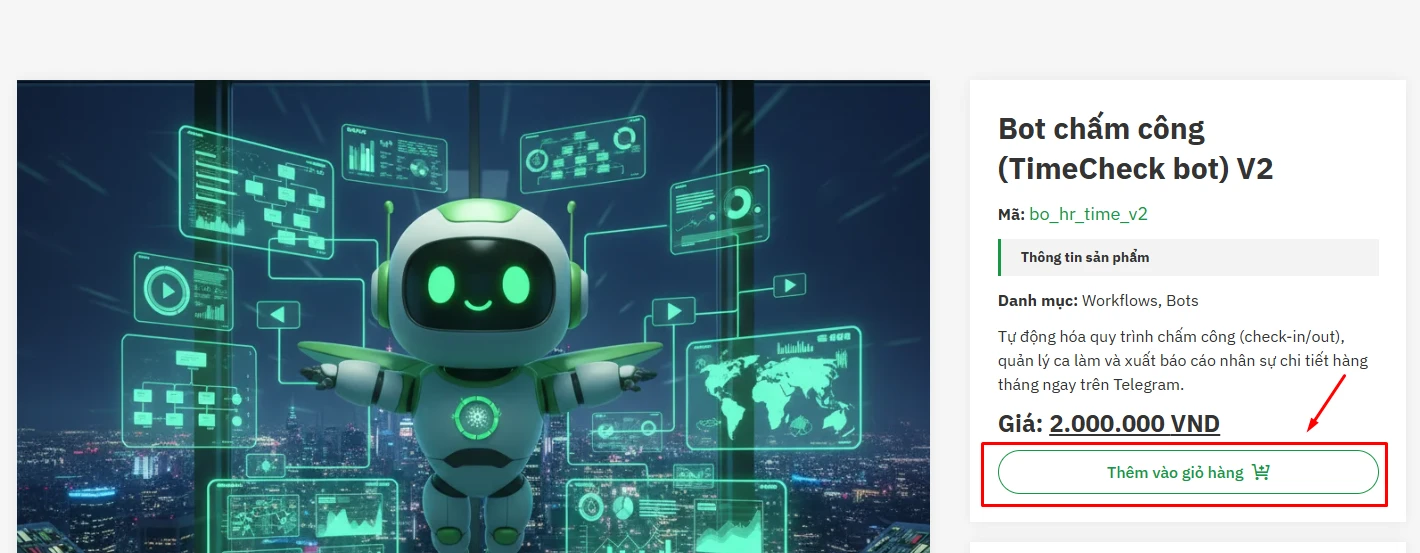
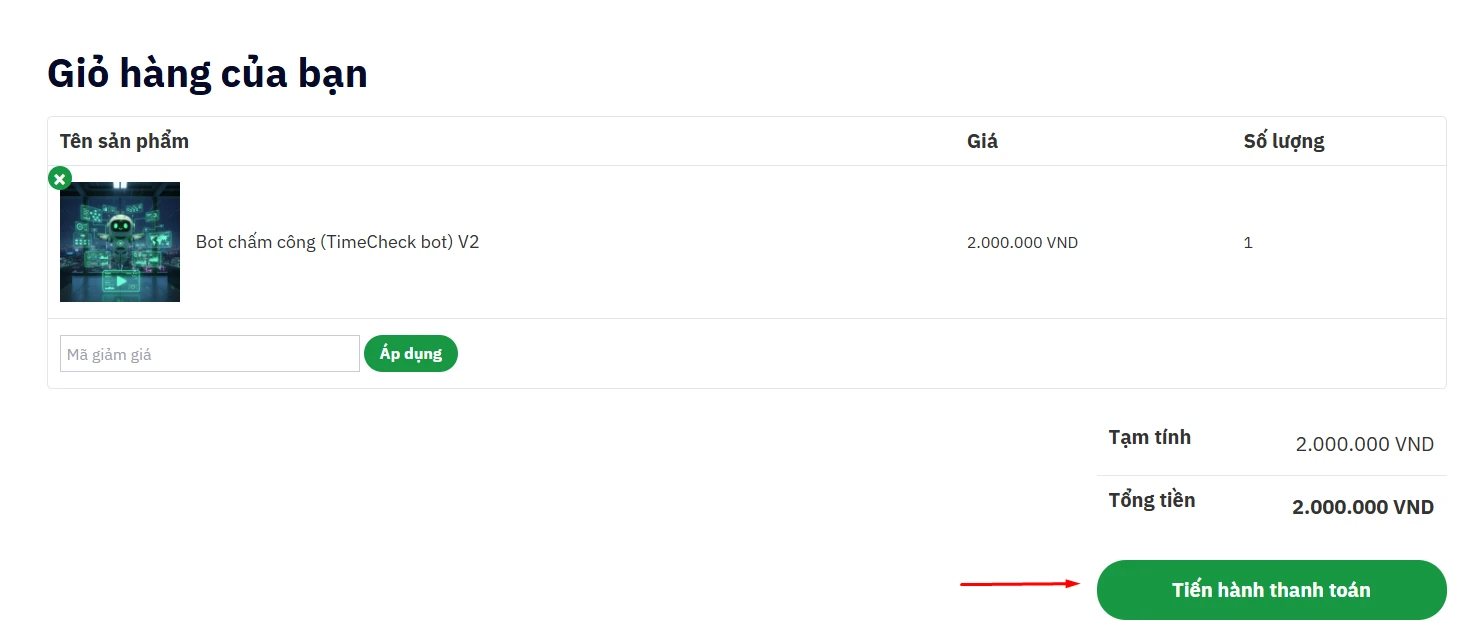
- Step 2: On your cart page, click the “Proceed to checkout” button.
- Step 3: On the Checkout page, please provide your exact Email address (this is where you will receive the License Key and Download Link).
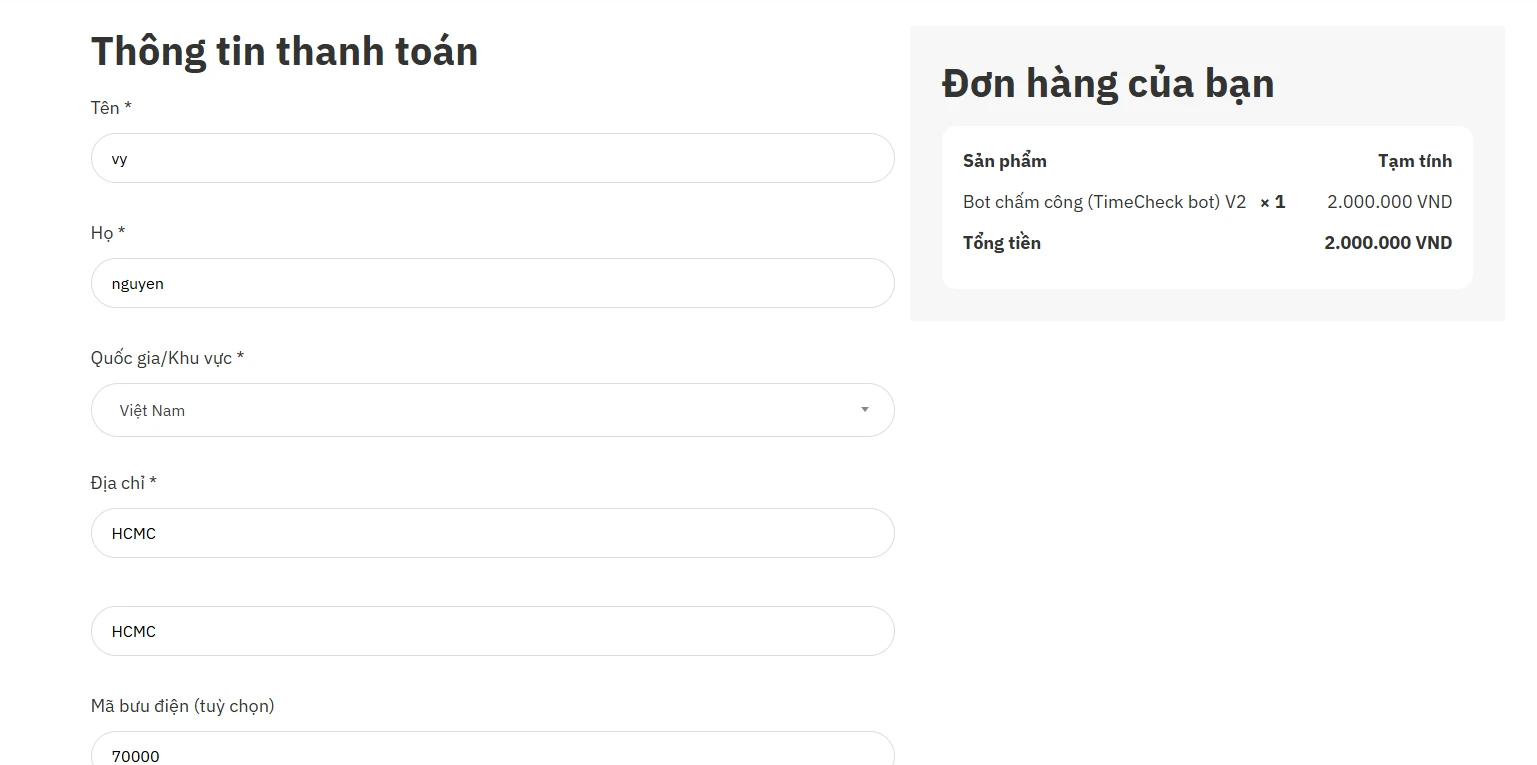
- Step 4: Select the payment method appropriate for your region.
2. Payment Guide
At the checkout step, we support two main methods:
A. For International Customers
-
Method: Select “Credit Card / PayPal (via Paddle)”.
-
Process: The system will open the secure Paddle payment window. You can use Visa, Master, Amex cards, or PayPal.
-
Activation: Upon successful payment, the system will AUTOMATICALLY send an email containing the Download Link or allow you to download resources immediately (Instant Delivery).
B. For Customers in Vietnam (Vietnam Only)
-
Method: Select “Chuyển khoản Ngân hàng (Bank Transfer)”.
-
Process: Please transfer the exact amount according to the information below:
BANK ACCOUNT DETAILS:
-
Bank: VIB (Vietnam International Bank)
-
Account Holder: CÔNG TY TNHH GIẢI PHÁP CÔNG NGHỆ TRE VIỆT
-
Account Number: 079700847
-
Transfer Content:
[Phone Number] + [Your Name](Ex: 0901234567 John Doe)
-
-
Important Note: Since this is a manually approved method, orders will be activated during business hours (8:00 – 18:00 GMT+7). If you need it urgently, please chat via Zalo after transferring.
Method: Select “Pay via VNPay Gateway”
- Process: The system will open the secure VNPay payment window. You can use Visa, MasterCard, etc., to make the payment.
- Activation: Upon successful payment, the system will record the transaction. Once the order verification is complete, an email will be sent, or you will be allowed to download resources immediately on the site.
3. Product Delivery
-
Payment via Paddle and VNPay: Receive the product immediately via Email or access “My Orders” to download.
-
Bank Transfer: Our Support team will verify and send the activation email within 30 minutes – 2 business hours.
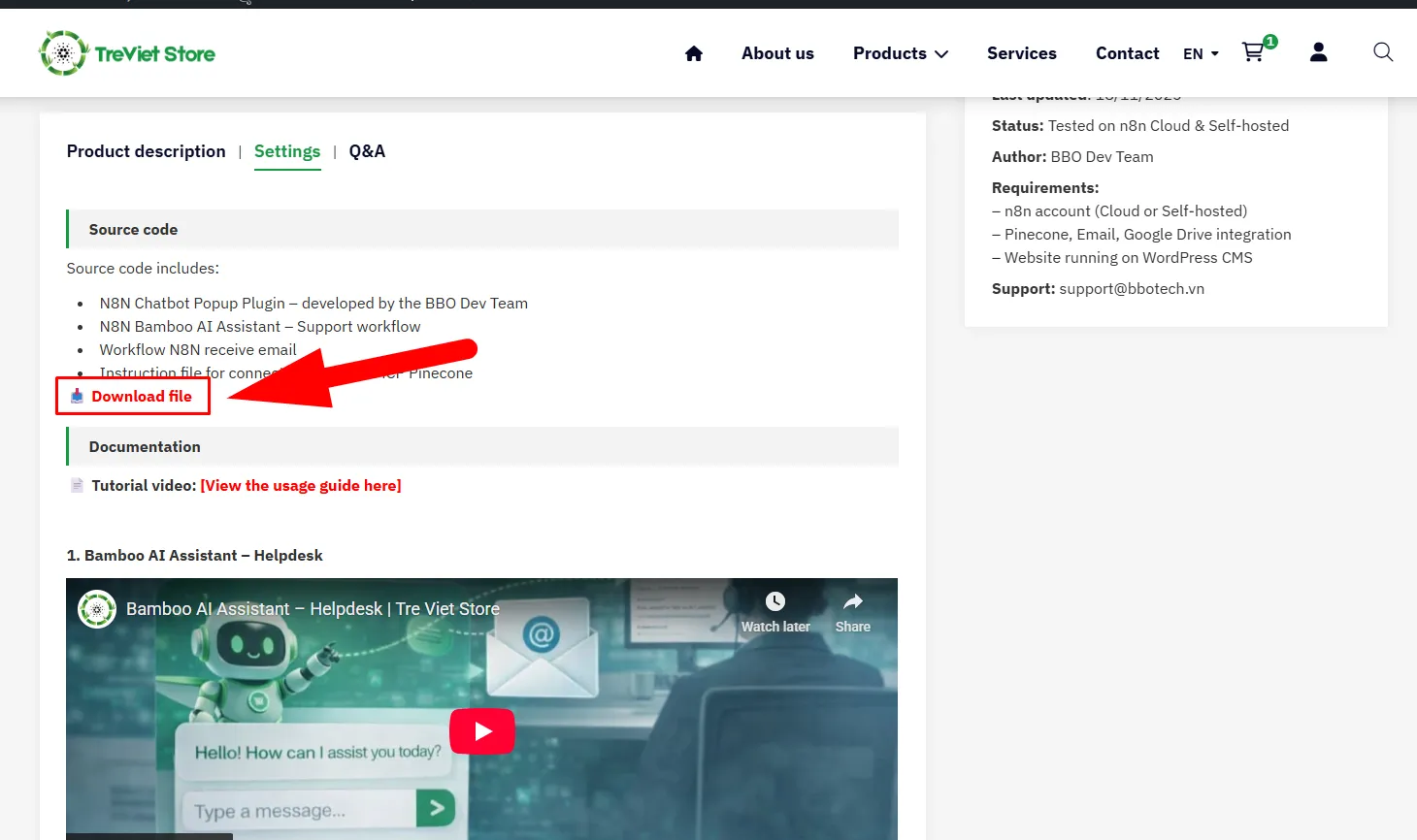
Note: After paying via the payment gateway or MoR, you can return to the product page or go to “My Orders” –> Access the purchased product page –> Select the “Settings” (Cài đặt) tab –> The system will activate the source code download (For paid products, this section is locked and only opens after successful payment verification).
4. Order Support
If you encounter difficulties during payment or have not received the product past the committed time, please contact:
-
Email:
support@bbotech.vn -
Hotline: (+84) 0797467390
- Address: No. 3 Ta Hien, Cat Lai Ward, Ho Chi Minh City, Vietnam
Guide for Free Products
Note: This guide applies only to products provided for free on the store.
Download Process
- Select and view the free product on the store.
- Access the product details page.
- Scroll down to the information section and select the “Installation” (Cài đặt) Tab –> Proceed to download the materials according to instructions (For paid products, this section is locked and only opens after successful payment verification).
Note: You do not need to add free products to the cart or checkout. For free products, you can download and use them directly without going through the payment step.
Video tutorial